Integrating Rasa as FAQ server
This FAQ agent is built on top of Rasa AI. Live Helper Chat provides the harness (conversation, triggers, tools and state) around it. This workflow is similar to intent detection using Rasa.
To run it, you will need:
- A running Rasa API
- A REST API configuration in Live Helper Chat
- A bot configuration in LHC
Installation Instructions for Docker Version
```shell
git clone https://github.com/LiveHelperChat/faq-rasa.git && cd faq-rasa
To customize your FAQ data, you need to edit two files:
Dockerfiles/faq/faq/data/nlu.ymlThis file provides a sample of how a question intent should be defined with multiple alternative questions:
- intent: chitchat/ask_weather
  examples: |
    - What's the weather like today?
    - Does it look sunny outside today?
    - Oh, do you mind checking the weather for me please?
- I like sunny days in Berlin.Dockerfiles/faq/faq/domain.ymlThis file is where you define the answers. The example below shows two possible responses the bot can provide:
  utter_chitchat/ask_weather:
  - text: "Oh, it does look sunny right now in Berlin."
  - text: "I am not sure of the whole week but I can see the sun is out today."
Now you can build the image:
docker-compose build
Run it once for debugging:
docker-compose up
Run it as a service:
docker-compose up -d
To test the API:
curl --request POST   --url http://localhost:5005/webhooks/rest/webhook   --header 'content-type: application/json'   --data '{
  "message": "weather berlin"
}'
Expected output:
[{"recipient_id":"default","text":"Oh, it does look sunny right now in Berlin."}]
Installation Instructions for Non-Docker Version
python3.6m -m venv ./venv
source ./venv/bin/activate
pip3 install -U pip
pip3 install rasa

# Optional, if you get some errors you can try this
pip3 --use-feature=2020-resolver install rasa

```shell
git clone https://github.com/LiveHelperChat/faq-rasa.git && cd faq-rasa
To customize your FAQ data, you need to edit two files:
Dockerfiles/faq/faq/data/nlu.ymlThis is a sample of how a question intent should be defined with multiple alternative questions:
- intent: chitchat/ask_weather
  examples: |
    - What's the weather like today?
    - Does it look sunny outside today?
    - Oh, do you mind checking the weather for me please?
- I like sunny days in Berlin.Dockerfiles/faq/faq/domain.ymlThis is a sample of how to define answers. In this case, we've defined two possible responses the bot will provide:
  utter_chitchat/ask_weather:
  - text: "Oh, it does look sunny right now in Berlin."
  - text: "I am not sure of the whole week but I can see the sun is out today."
After modifying the files, you can train your bot and run it as a REST API server:
cd rasa-faq/faq/Dockerfiles/faq/faq && rasa train

# Run as API server
cd rasa-faq/faq/Dockerfiles/faq/faq && rasa run -p 5005
Live Helper Chat Configuration
Create a new REST API by navigating to:
System configuration > Live help configuration > REST API Calls
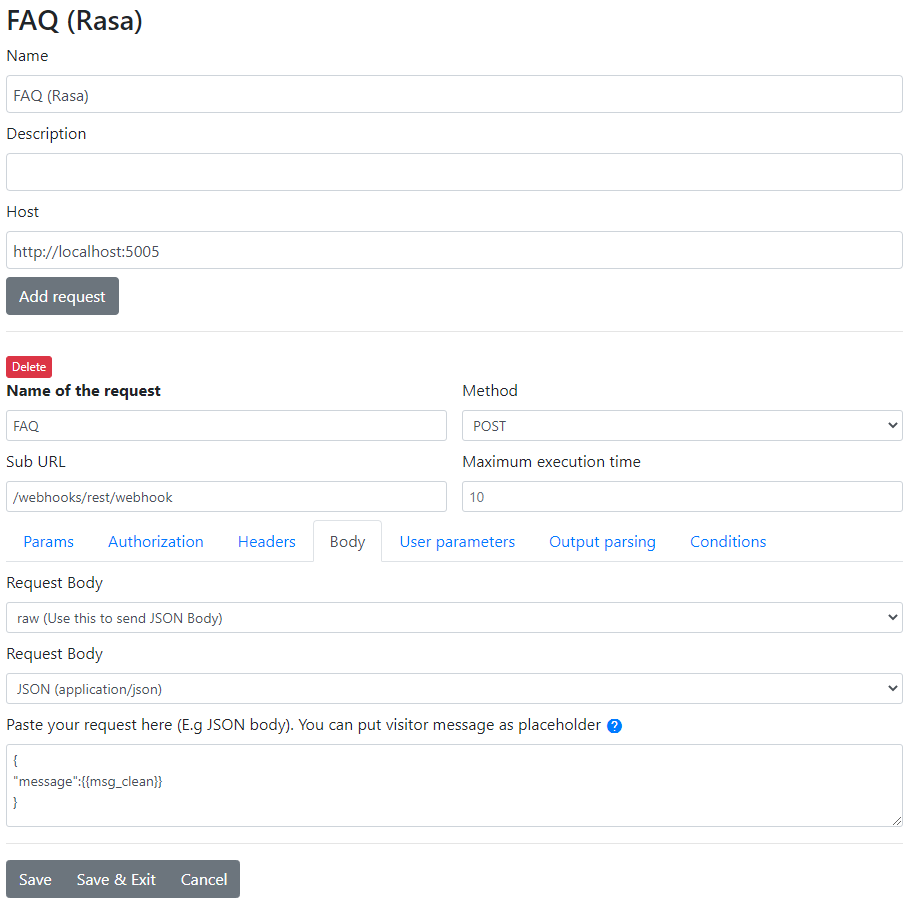
Create a new entry. The configuration should look like this:
We set the body request as JSON and set the content.
We also configure Output parsing:
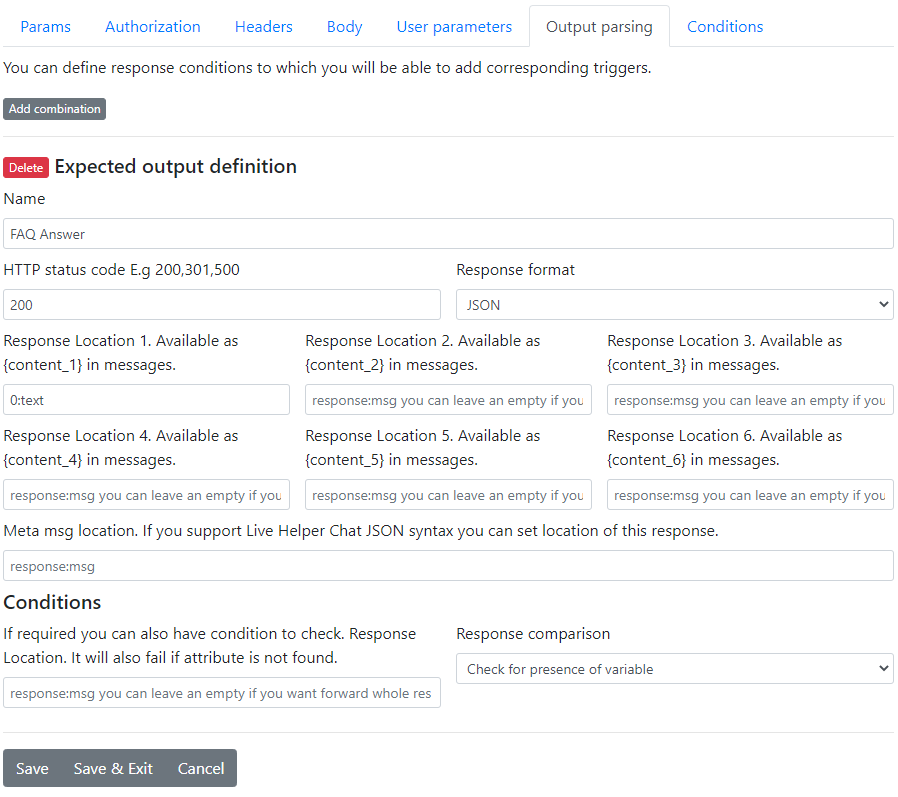
Now save the configuration.
Bot Configuration in Live Helper Chat
For the bot configuration, you need three triggers:
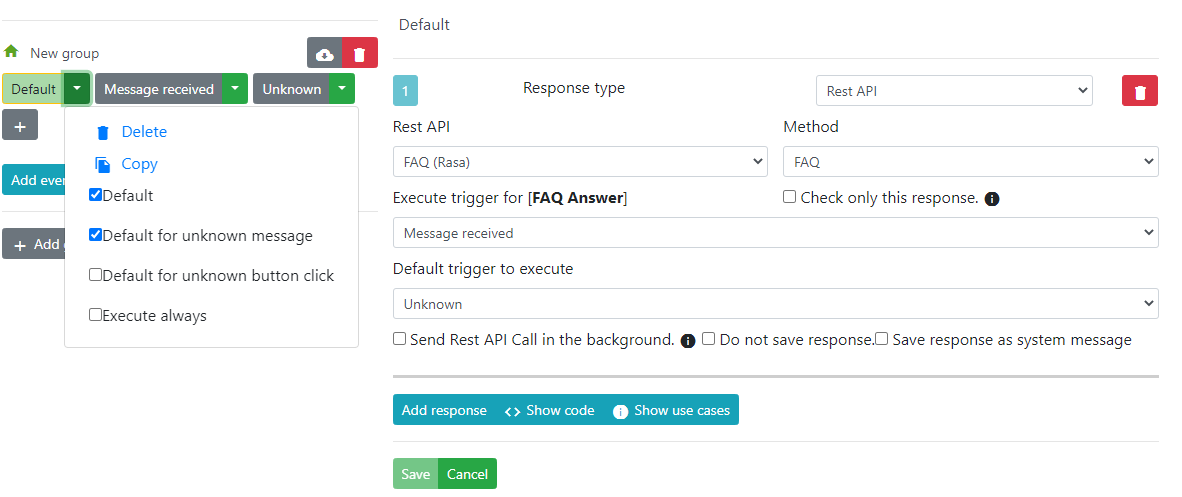
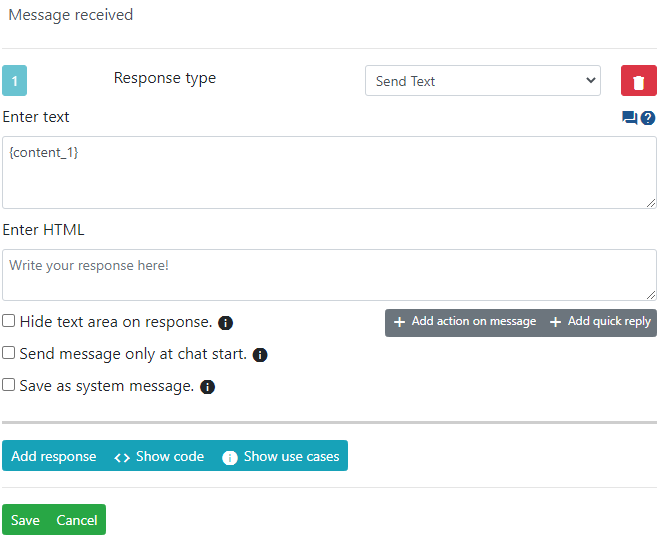
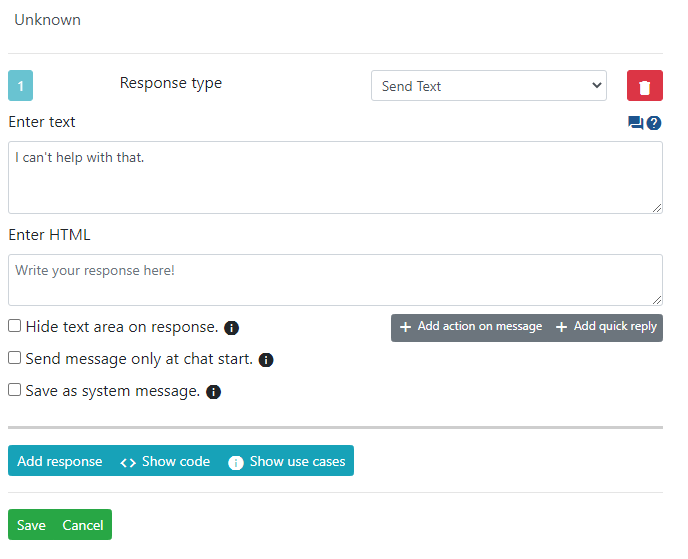
Default: This trigger should haveDefaultandDefault for unknown messagechecked.Message received: This trigger should contain the message text with the content{content_1}.Unknown: This trigger sends a message ifRasadoesn't return anything.
Default trigger configuration:
Message received configuration:
Unknown message configuration:
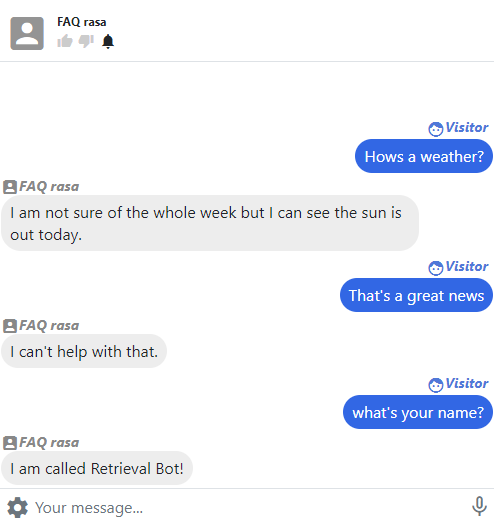
Conversation example:
What if I Want to Define Custom Answers Directly in Live Helper Chat?
A simple solution would be to define keywords as answers, which you can then use in the LHC bot.
Define just one answer:
  utter_chitchat/ask_weather:
  - text: "rasa_weather"
The bot setup should be similar to this example.
Don't forget to set your bot as the default department bot.